
Casual rosters tend to fall apart when they are built from memory on a Sunday night. Nobody is sure who can work, the same two people end up with every late shift, and the first complaint arrives in the group chat. A weekly routine built on availability, a template and an early publish date fixes most of that.
A roster that works is one people can plan around. It is published on time, it reflects what people can actually do, and changes go through one clear route. The steps below cover each part, in the order most owners find easiest.
Why collect availability first?
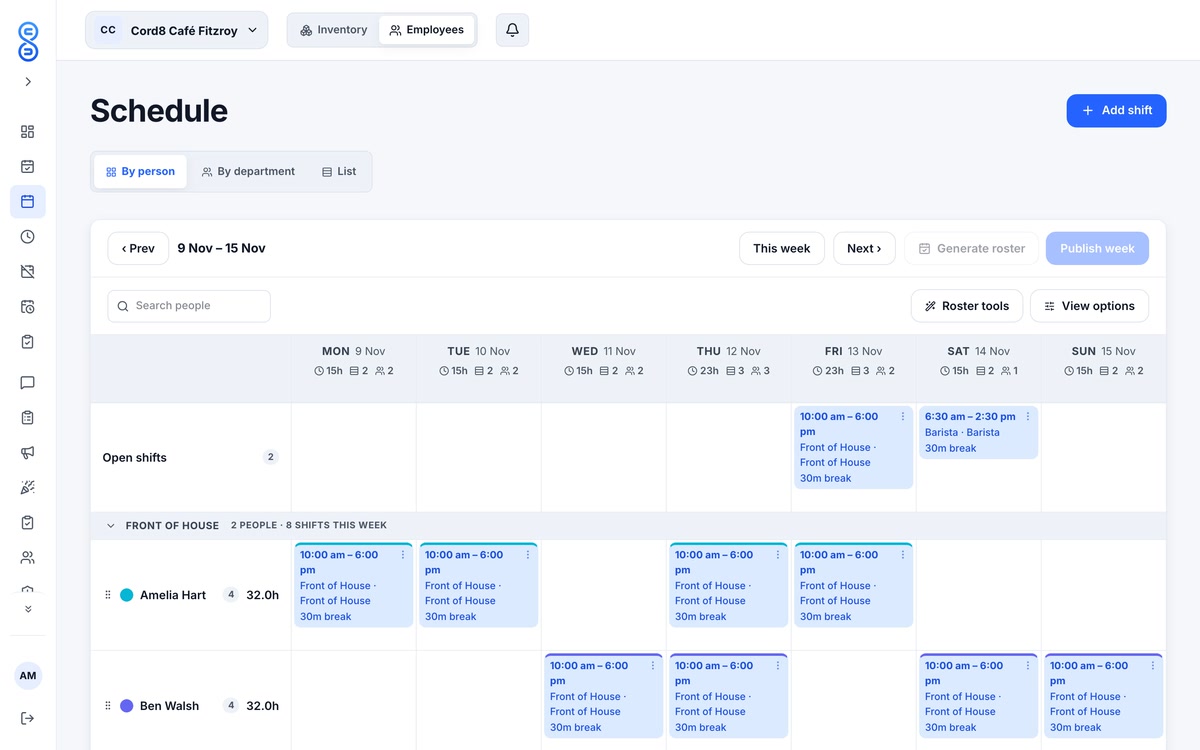
Build the roster from what people can do, not from what you hope they can do. Ask each casual team member for the days and hours they can work, and ask them to update it when things change. A roster built from current availability needs fewer swaps and fewer phone calls later.
Ask for changes in one place. If availability lives in three text threads and a notebook, one of them will be out of date by Thursday.
Pick a cut-off day each week for changes to availability, such as the Wednesday before the week you are building. Anything after that goes to you directly and is handled as a swap. That way the draft is not rebuilt every time someone sends a message.
Should you start from a template?
Yes, for most weeks. A typical week in hospitality or retail has the same shape: the opening shift, the mid-shift, the close and a busier weekend. Save that shape as a template, then change only what is different this week, such as a delivery day, a school holiday or an event.
If your weeks really do come in two or three shapes, such as a school-term week and a holiday week, keep a template for each and name them clearly. Whoever builds the roster next week should be able to pick the right one without opening every draft.
When should you publish?
Publish early enough that people can plan their week around the roster, and keep to the same day each week so the team knows when to look. Staff who see their shifts late make other plans, and then you are rebuilding the roster on a Friday.
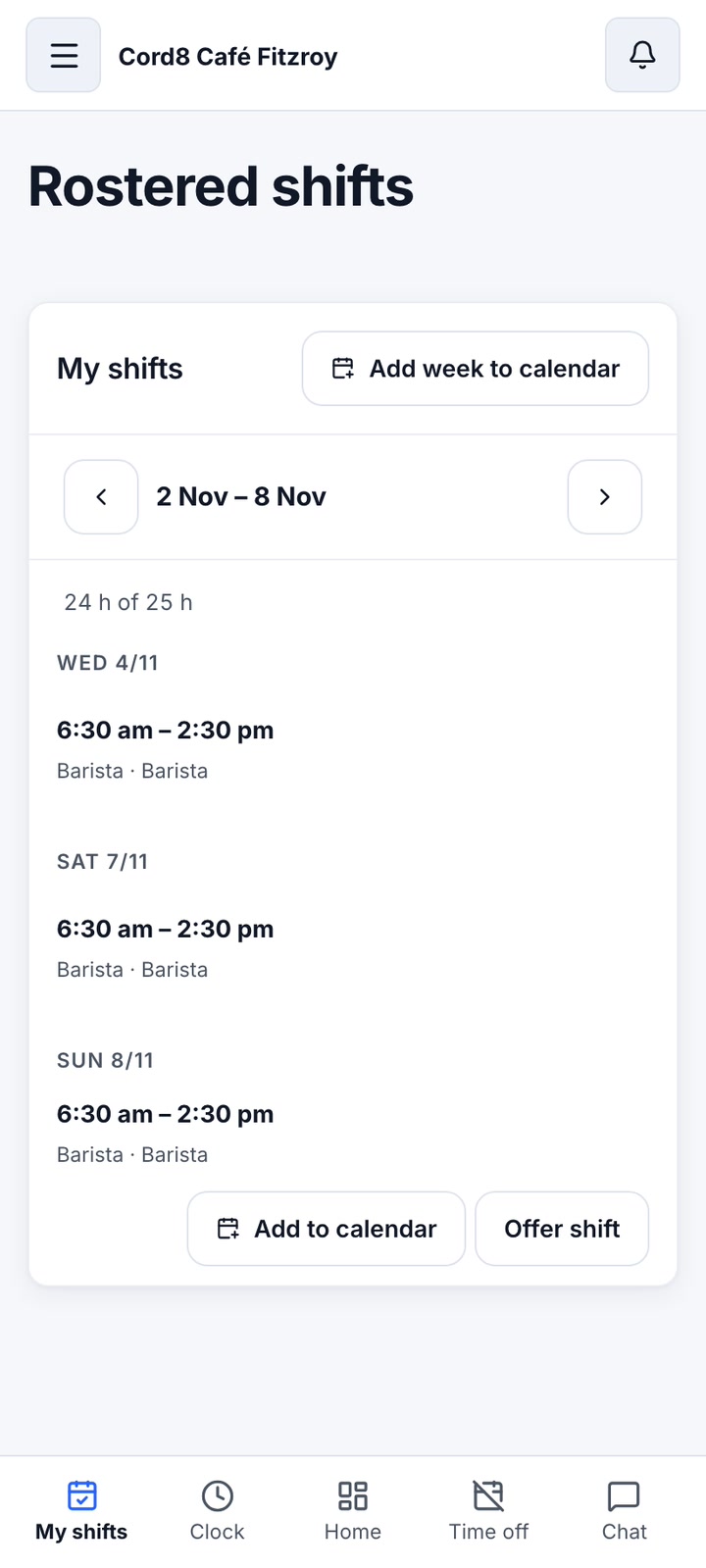
Draft the week, check it against availability and any leave or dates the team has asked you to avoid, then publish it. A roster that is still changing every day is a draft, not a roster.
If a published roster has to change, say so in the same place it was posted, with the shift and the reason. Quiet edits are what lead to missed shifts, because the person who was moved never saw the change.
How do open shifts get filled?
Leave a shift unassigned when it is not yet clear who is needed, and let the team claim it. Open shifts work best for busy days, or for cover when someone is off sick. Set the rules for who can claim before you publish, then check the claims as they come in so a shift does not end up with two people on it.
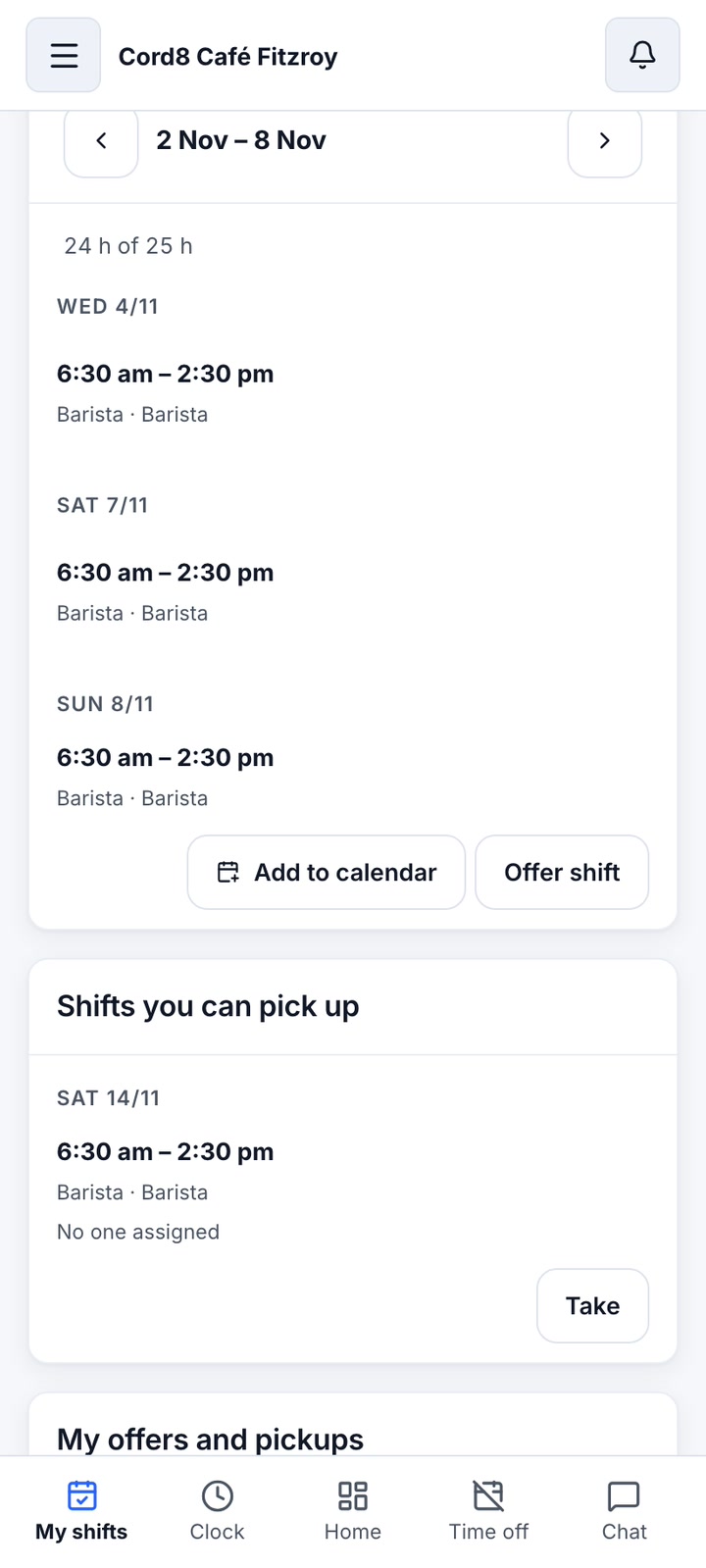
Say what the open shift is for and by when you need an answer, such as cover for a busy Saturday breakfast. A clear note gets a faster reply than an empty slot does.
How should shift swaps work?
A swap should be easy for the team and visible to you. A team member asks, a colleague takes the shift, and you approve it before the roster changes. That approval step is what keeps the roster right: you always know who is working and who has covered.
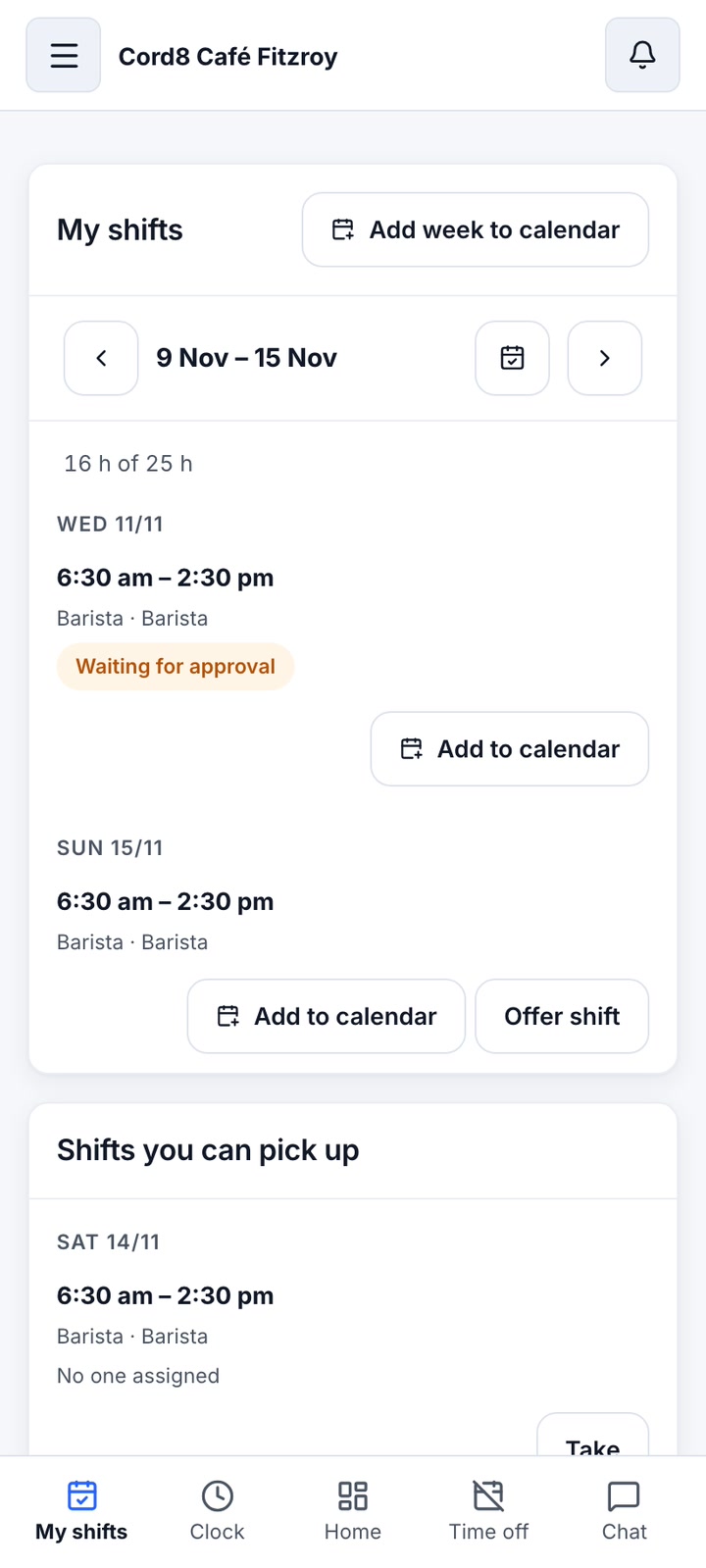
Decide in advance which swaps you will approve without a second look, such as an even trade between two people in the same role. Everything else gets a quick check before you say yes, especially a swap that moves someone onto a close or a split shift.
How do you plan for public holidays?
Public holidays change who is available and who has asked for leave, so plan for them when you draft the roster, not on the day. Check the dates for your state early, and talk through any changes with your team well before the week starts.
Ask early who wants the day off and who is happy to work it. Use the same rule for every request, and write it down, so no one feels the roster is personal.
For pay rules on public holidays, check the official source: Fair Work Ombudsman.
Casual roster checklist
- Collect availability from every casual before you build the week.
- Keep a template for each shape of week, and update it after a busy period.
- Check leave and any dates the team has asked you to avoid before you draft.
- Publish on the same day each week, and say when.
- Leave open shifts for cover, and assign each one as it is claimed.
- Approve every swap before the roster changes.
- Plan public holidays and events before the week starts.
For the full set of rostering tools, see staff rostering software for Australian teams. If you run a cafe, cafe rostering software shows how the same routine fits opening and closing shifts.
Common questions
How early should I publish a casual roster?
Early enough that your team can plan around it, and on the same day each week. If you publish late, expect more swaps and more messages. Ask your team how far ahead they plan, and build the routine around that. Once you have a day that works, keep it, so people learn when to look without being reminded.
Can casual staff pick up shifts themselves?
Yes, if you turn on open shifts. Staff can claim an unassigned shift, and you set the rules for who can claim. Swaps still need your approval, so the roster always shows who is actually working.
What if someone asks for a shift they cannot work?
Do not approve it on the spot. Check their availability and any leave first, then decide and tell them why. If you agree to a change and the shift needs covering, put it up as an open shift so the team can claim it.